The short answer on vector vs raster artwork for patches: a vector file (AI, EPS or PDF) gives the cleanest result, and a clear raster file such as a PNG works too. If all you have is a photo of an old patch, that is still enough to start a quote. The difference matters because of how each file holds your design, and what happens when that design is turned into thread.
This guide explains what vector and raster files are, how to tell which one you have, how each one is used to make a patch, and what to send with your request.
What vector artwork is
A vector file describes a design as shapes: points joined by lines and curves, each filled with a colour. Because the file stores the outline of each shape rather than a grid of dots, it can be scaled to any size without losing an edge. A logo saved as a vector looks just as sharp at 2 in on a cap as it does at 10 in on a jacket back.
Common vector formats include:
- AI, the native file from Adobe Illustrator.
- EPS, an older format that most design programs can open and export.
- PDF, when it is saved from a design program with the shapes kept as shapes.
- SVG, a vector format often used for logos on websites.
For a patch quote, AI, EPS or PDF are the files to send first.
What raster artwork is
A raster file is a grid of tiny coloured squares called pixels. Photos are raster images, and so are most files saved from a website, a phone or a screenshot. Common raster formats are PNG, JPG, GIF and WEBP.
A raster file has a fixed number of pixels. Enlarge it past that and the edges turn soft or blocky, because the computer has to guess at detail that is not there. A large, sharp PNG can still work well for a patch. A small logo copied from an email signature usually does not carry enough detail to show the fine parts of the design.
Resolution in plain terms
What matters is how many pixels the image has across the area that will become the patch. A logo a few hundred pixels wide can look fine on screen and still be too small to show thin lines or small lettering clearly. If the image looks fuzzy when you zoom in on your own screen, it will be hard to read accurately when the design is redrawn.
Vector vs raster artwork for patches, side by side
| Question | Vector (AI, EPS, PDF) | Raster (PNG, JPG) |
|---|---|---|
| Made of | Shapes, lines and curves | A grid of pixels |
| Scaling | Any size, edges stay sharp | Blurs when enlarged past its pixel size |
| Small text and thin lines | Kept exactly as drawn | Can soften or break up in a small file |
| Colours | Each shape holds one exact colour | Colours can blend at the edges |
| Best use for a patch | The cleanest starting file | Works well when large and sharp |
| Accepted for a quote | Yes | Yes, PNG is accepted |
How to tell which file you have
The file extension is a starting point, not proof. A PDF or an EPS can hold a raster image inside it, for example when someone placed a JPG into a document and saved it. A few quick checks help.
- Look at the extension. Files ending in .ai, .eps or .svg are usually vector, and many .pdf files are too. Files ending in .png, .jpg, .gif or .webp are raster.
- Zoom in a long way. Open the file and zoom to 800% or more. Vector edges stay crisp. Raster edges turn into steps of square pixels.
- Try to select one shape. In a design program, a vector file lets you click a single letter or shape and move it. A raster file moves as one flat picture.
- Ask where it came from. If a designer or a print shop made your logo, they very likely have the original vector file.
How your artwork becomes a patch
Whatever file you send, a patch is not printed straight from it. For an embroidered patch, the design is converted into a stitch file, a set of instructions for every stitch: its type, direction, length and colour. This step is called digitizing. Our guide to preparing artwork for embroidery explains it in more detail.
That is why the file type matters less than people fear, and more than they might hope. A clean vector gives exact shapes and edges to work from, so the proof comes back closer to your intent on the first pass. A raster file has to be read by eye wherever its edges are soft, and a photo has to be redrawn. We tell you on the quote whether we can work from your file directly or need to redraw it, and the proof shows the result before anything is made.
Where a clean file matters most
- Small lettering. Names, mottos and dates set in a ring around a seal need clean letter shapes to start from.
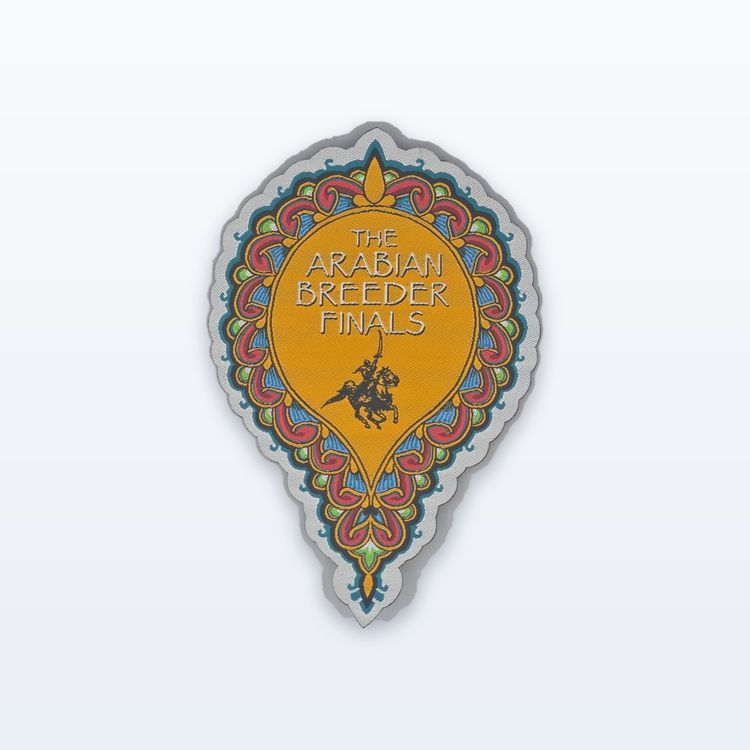
- Woven patches. A woven patch holds small text and thin lines that embroidery cannot, so a sharp file makes the most of that detail.
- Exact brand shapes. If a logo has to match your signs and printed material, a vector keeps every curve as it was drawn.
- Sublimated patches. These are printed in full colour dye, so photos and gradients can be reproduced. For photographic art, a large, high quality raster image is often the natural file, because the art itself is made of pixels.
What to do if you do not have a vector file
Plenty of people do not, and that is fine. Try these in order.
- Ask the designer, agency or print shop that made your logo for the AI, EPS or PDF original.
- Check old print jobs. Business cards, signs and printed shirts were often made from a vector file, and the supplier may still have it.
- Look for a brand guide or logo pack, which often includes vector versions.
- Send the largest, sharpest PNG you can find, not a thumbnail or a screenshot.
- If the design only exists on an old patch, pin or shirt, photograph it square on, in even light, with the item filling the frame, and give us its size.
You do not need to convert the file yourself before you ask for a quote. Send what you have and we will tell you if we need anything else.
Preparing a vector file before you send it
If you do have a vector file, a few checks make it easier to work from.
- Outline the fonts. Convert live text to outlines so the lettering does not change when the file opens on another computer. If you cannot, list the font names.
- List the colours. Pantone references are the clearest. Thread comes in a fixed range, so each colour is matched to the nearest available shade.
- Remove what will not stitch. Gradients, drop shadows and hairlines made for screens rarely translate to thread.
- Give the finished size. A vector scales to any size, but the stitch decisions depend on the actual width and height of the patch.
The free Patch Studio accepts PNG, JPG, SVG or WEBP files, so you can see your logo as a patch in 3D before you send anything. It is a rendering, not a guarantee, and we review detail and size when we quote.
Send your artwork for a quote
Send whichever file you have through the quote form, along with the size, quantity, colours, backing and in-hands date. We send one quote within 2 to 3 business days, your proof usually follows 1 to 3 business days after we have the artwork, and nothing is made until you approve that proof in writing.