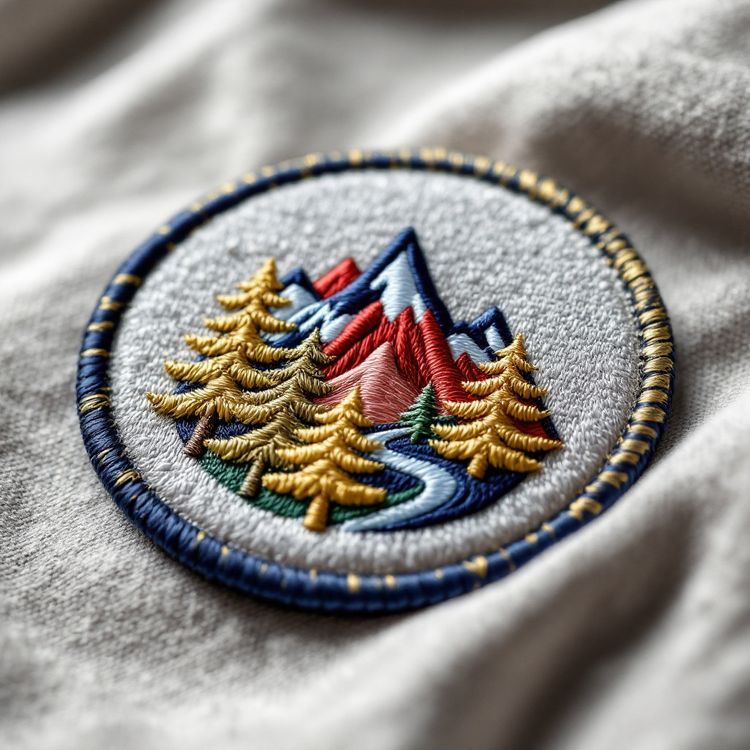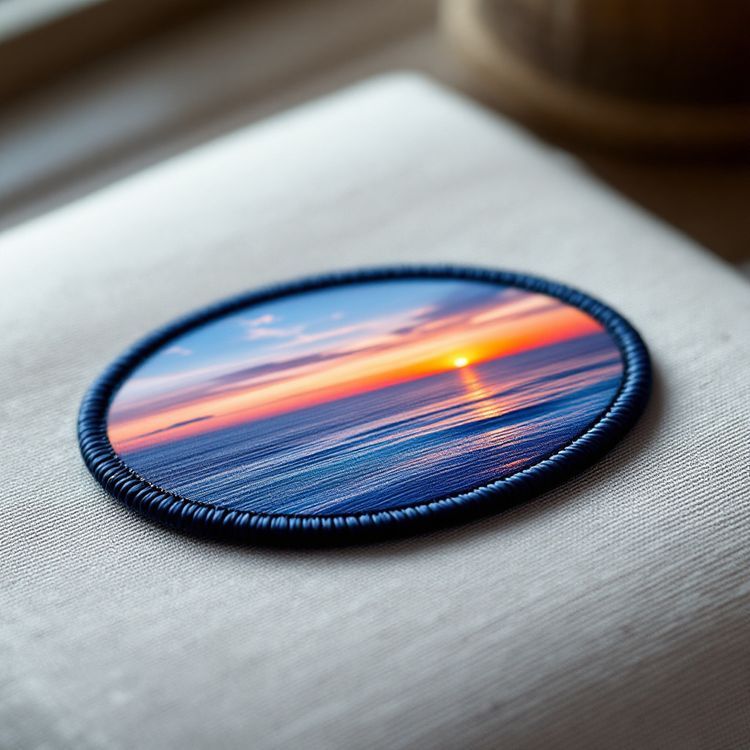
Embroidery cannot reproduce a smooth gradient the way a printer can, because every stitch is one solid thread colour. What thread can do is suggest a gradient: by breaking it into a few bands of colour, by changing stitch direction, by thinning the stitches so the base fabric shows through, or by blending two thread colours in a transition zone. For simple shading, those techniques look good. For photographs, soft airbrushed art or a sunset with many tones, a sublimated patch, which is printed, is the better choice.
Below we explain why thread behaves this way, walk through each shading technique, and help you decide whether to adapt your artwork or change the patch type.
Why thread cannot blend like ink
A printed gradient is made of tiny dots of ink in varying proportions, small enough that the eye mixes them into a smooth change of tone. Embroidery works at a much coarser scale. Each stitch is a visible length of a single, solid colour of thread, and stitches sit next to each other rather than mixing.
A soft gradient in your artwork, from light blue to navy for example, therefore has to become a series of distinct thread colours. The question is how many steps to use and how to make the joins between them look intentional.
The same applies to drop shadows, glows, soft edges, transparency and photographic detail. All of them are made of continuous tone, and all of them have to be translated into solid areas before they can be stitched.
Shading techniques that work in thread
Colour banding
The most common approach is to split the gradient into three to five bands of solid colour, from lightest to darkest. Seen at arm's length, a well-chosen set of bands reads as a gradient, and the clean edges give a graphic, retro feel. Sunsets on outdoor and travel patches are often done this way on purpose.
Stitch direction
Thread reflects light differently depending on the angle it lies at. Changing the stitch direction between areas of the same colour, or curving it across a shape, adds a sense of form without adding colours. It is how a digitizer makes a flat circle read as a sphere, or separates a mountain face from its shadow side.
Density gradients
A fill can be stitched dense at one end and gradually more open at the other, so the base fabric shows through more and more. On the right base colour this gives a real sense of fade. It works best over a short distance and on larger areas, and the open end is less hard-wearing than a full fill.
Blended fills
Two thread colours can be interleaved in a transition zone, with stitches of one colour thinning out as the other takes over. This softens the join between bands. It adds stitches and complexity, so it suits larger patches with room for the transition.
Outlines and highlights
Sometimes a darker outline on one side of a shape and a single highlight colour on the other does more for depth than any gradient. Patch artists often use this cartoon-style shading because it stays clear at small sizes.
Which approach suits which artwork
| Artwork | Best approach | Notes |
|---|---|---|
| Simple two-tone gradient in a logo | Colour banding or a single solid colour | Often the cleanest result at patch size |
| Sunset or sky | Three to five colour bands | A classic patch look |
| Rounded object, such as a ball or globe | Stitch direction plus a highlight | Adds form without extra colours |
| Soft fade into the background | Density gradient | Needs a suitable base colour and some size |
| Photograph or portrait | Sublimated patch | Printed, so it keeps continuous tone |
| Airbrushed or watercolour art | Sublimated patch | Thread would flatten the effect |
Woven and sublimated options
A woven patch uses finer thread, so colour bands can be narrower and transitions look smoother than in embroidery. It still uses solid thread colours, though, so it is a step closer to a gradient rather than a true one.
A sublimated patch is dye printed in full colour onto a fabric surface and finished with a merrowed or heat cut edge. It reproduces gradients, photographs and shading faithfully. The trade-off is texture: it is flat, without the raised thread of embroidery. Our comparison of sublimated vs embroidered patches goes into the look, feel and best uses of each.
How to adapt your artwork
You can leave the translation to us, but if you want control over the result, a few steps help:
- Decide whether the gradient is part of your identity or just a style effect. Many logos have a flat version that stitches better.
- If the gradient matters, choose the colour steps yourself: pick three to five colours from light to dark and mark where each band starts.
- Remove drop shadows, glows and transparency, or replace them with a solid outline or offset shape.
- Check contrast between each band and the next. Bands that are too similar merge; bands that are too different look striped.
- Look at the result at the real patch size before sending it.
Our guide to choosing patch colours covers how to pick colours that read well together, and embroidery digitizing explained shows how stitch direction and density are set.
Size, colour count and quoting
Shading techniques need room. Banding and blended fills look better on larger patches, where each band is wide enough to see. On a small cap patch, two solid colours often look cleaner than five narrow bands. Each extra thread colour also adds work, and colour count is one of the things that affects a quote, so it is worth using only the colours that make a visible difference. There is no published price list: each job is quoted from the factory price for its size, construction and colours.
Preview, proof and quote
Upload your artwork to the free Patch Studio and switch between embroidered and sublimated to compare how the design reads. When you request a quote, say whether you want the gradient kept in thread, simplified, or printed, or ask for two options on the same quote. The proof, usually 1 to 3 business days after artwork, shows exactly how the shading will be handled, and nothing is made until you approve it in writing. Send your artwork to get started.